Post by : Anees Nasser
The Current Budget Laptop Market Explained
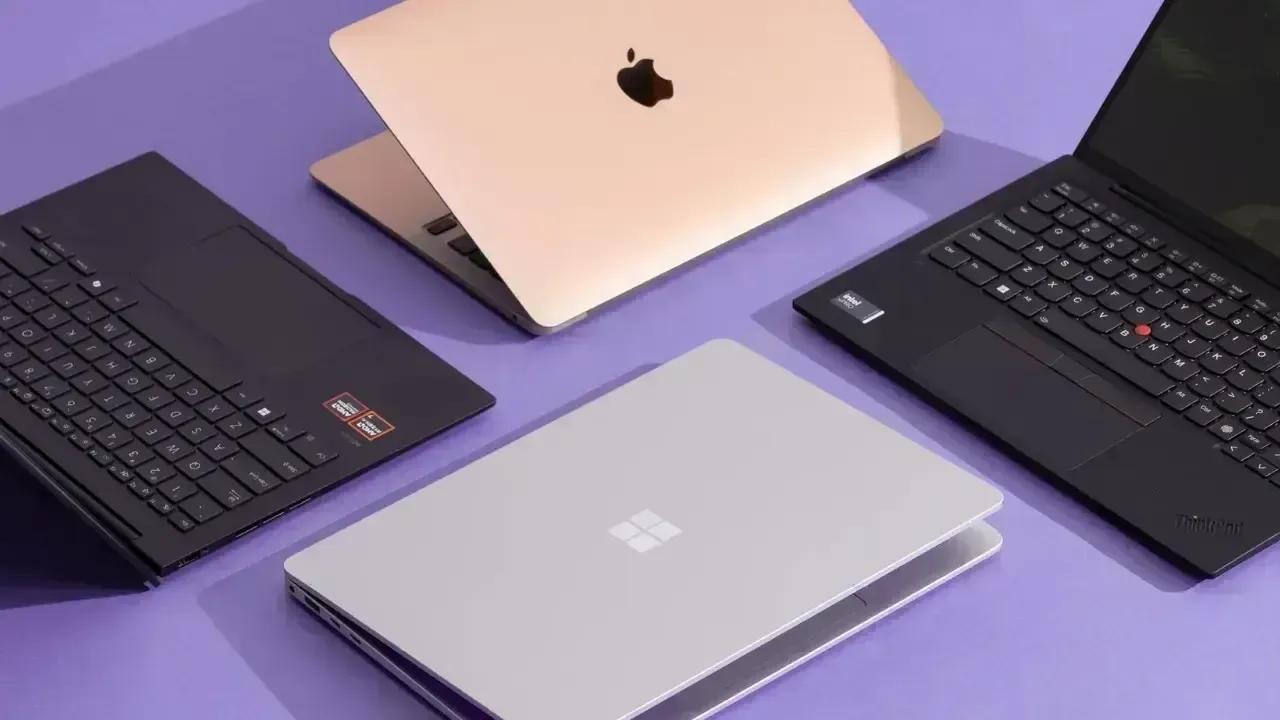
In recent weeks, the budget laptop market has experienced significant shifts. Various factors including seasonal promotions, product launches, and stock clearances have created fluctuating prices, leading to confusion among consumers. While some laptops have become more affordable, others that were once classified as budget-friendly have moved into a different price bracket.
For everyday users such as students, remote workers, and freelancers, these developments can be perplexing. Questions arise: Should you choose the least expensive option? The one with the deepest discount? The most technical specifications? Or the one that feels satisfactory?
This guide will streamline your decision-making process.
Why Prices Fluctuate in the Laptop Market
Understanding the reasons behind the recent price fluctuations can help navigate these changes. Influential factors include:
As a result, several high-performance laptops have temporarily joined the budget bracket, offering consumers more choices.
Step 1: Identify Your Laptop's Function
Many individuals err by looking for the best deals before clarifying their needs. The best approach to purchasing a budget laptop is to start with this crucial question:
What will be the primary use of this laptop?
Common categories of laptop use include:
– General tasks (browsing, email, document editing)
– E-learning
– Entertainment and streaming
– Creative work (photo/video editing)
– Software development or coding
– Casual or moderately demanding gaming
– Business tasks and multitasking
Your use case will dictate the necessary specifications and which laptops are worth your consideration.
Step 2: Choose Your Processor Wisely
The central processing unit (CPU) is critical for performance. Due to recent price changes, several robust processors are now available at budget-friendly rates.
Here’s a succinct analysis:
For basic tasks:
– Latest generation Intel i3
– AMD Ryzen 3
These are suitable for browsing, light work, and media consumption.
For students and multitaskers:
– Intel i5
– AMD Ryzen 5
These processors enable quicker load times, efficient operations, and improved longevity.
For creators and heavy users:
– Higher variants of Intel i5
– Older generation AMD Ryzen 5/7 (now at lower prices)
These provide excellent performance at highly competitive prices.
Avoid outdated processors, even those that seem tantalizingly priced. Such CPUs can hamper productivity and diminish device lifespan.
Step 3: Consider RAM
Low RAM often results in a sluggish laptop experience. In today’s market:
Thanks to price fluctuations, 8GB RAM is now common in the budget segment, which is advantageous for buyers.
Step 4: Prioritize SSD over HDD
Opting for an SSD will dramatically enhance your laptop's performance. Fortunately, the cost of SSDs has recently decreased.
Benefits of SSDs:
– Quicker boot times
– Faster application loading
– No hanging or lag
– Enhanced overall efficiency
Recommendations:
– 256GB SSD for basic purposes
– 512GB SSD for students, content creators, and heavy users
Avoid models limited to HDD storage, unless your budget is extremely tight.
Step 5: Don’t Overlook Battery Life
A budget laptop with subpar battery life can be highly inconvenient. Fortunately, following recent promotions, many entry-level models now boast strong battery performance.
For standard usage:
– A minimum of 5–7 hours is essential
Better options now offer:
– 7–10 hours
Always review battery ratings and user feedback for real-world performance metrics.
Step 6: Value Display Quality
The display often gets overlooked, yet it crucially affects your viewing experience.
Key display features to seek include:
– Full HD (1080p) resolution
– IPS panels (when available)
– Adequate brightness levels
Cheaper displays can cause eye strain, especially during prolonged use. Thankfully, numerous Full HD options have recently dropped in cost.
Step 7: Assess Build Quality and Portability
With the rise of hybrid worklifestyles, it's important that budget laptops are:
Aim for:
– Weight between 1.4–1.7 kg for ease of movement
– Good keyboard feel
– A responsive trackpad
Recent discounts have made reliable models more accessible.
Step 8: Evaluate Connectivity Options
Solid connectivity is crucial in today's world. Ensure your budget laptop has:
These features enhance long-term usability.
Step 9: Graphics: Assess Their Necessity
Most budget laptops are equipped with integrated graphics, which should suffice for average users.
Opt for dedicated graphics (entry-level GPUs) only if you require:
– Gaming capabilities
– Video editing
– 3D rendering
Due to recent discounts, some competent GPU models are now financially viable. However, opt for them only if your usage demands such specifications.
Step 10: Navigate Pricing Trends
The budget sector has matured, providing clearer pricing categories:
Recent promotions have shifted mid-range models to more affordable brackets, making enhanced performance accessible without a significant budget increase.
Step 11: Beware of the Discount Trap
Attractive discounts can often be misleading. They might imply:
– Older models
– Inferior processors
– Subpar battery life
– Sluggish storage solutions
– Limited warranty support
Rather than opting for the biggest discount, select the laptop that aligns with your genuine requirements.
Step 12: Consider the Laptop’s Build Year
A new device might not contain the latest components. Always check:
– Processor age
– Release date
– Battery cycles (for refurbished prints)
Recent market dynamics have reintroduced many older vehicles, so be vigilant while evaluating specifications.
Step 13: Warranty and Support Are Key
With budget laptops, strong after-sales support is critical as parts replacements can be pricey. Look for:
– A warranty of at least one year
– Optional extended coverage
– Nearby service centres
Dependable after-sales support drastically raises the value of budget laptops.
Step 14: Students Need Functional Simplicity
Students often find high-spec laptops overwhelming. A suitable student laptop should focus on:
– Long-lasting battery
– Lightweight design
– Smooth performance for studies and browsing
– Effective display for extensive study sessions
– Resilient keyboard
Recent pricing adjustments have made high-quality student laptops more achievable than in the past.
Step 15: Remote Workers Prioritize Efficiency
For remote employees, a reliable machine is essential. Focus on:
– Effective webcam
– High-quality microphone
– Full HD display
– Rapid SSD
– Decent processor
These features facilitate smooth multitasking, video calls, and document management.
Step 16: For Home Users, Aim for Balanced Performance
If the laptop will handle browsing, streaming, banking, and emails with occasional productivity tasks, prioritize:
– 8GB RAM
– 256GB or 512GB SSD
– Full HD screen
– Lightweight construction
Affordable options available today cater well to these needs.
Step 17: Creators Should Seek Budget Allies
Creators ought to focus on budget-friendly models, including:
– Ryzen 5 or i5 processors
– Preferably 16GB RAM
– 512GB SSD storage
– Color-accurate display
Discounts have made several such models accessible.
Step 18: Refurbished Options Gaining Popularity
Certified refurbished laptops provide excellent value. Ensure:
– Legitimate refurbishment
– Minimum 6-month warranty
– No significant physical damage
These can offer premium performance for budget-conscious shoppers.
Step 19: Long-Term Battery Health and Thermal Considerations
A poorly designed laptop can overheat and perform inconsistently over time. Investigate user experiences regarding:
– Heating issues
– Fan noise
– Battery longevity
Thermal efficiency is often more critical than raw performance metrics.
Step 20: The Ultimate Buying Checklist
Before finalizing your purchase, ask yourself:
– Does this laptop truly fulfill my needs?
– Is it sufficiently current to last 3–5 years?
– Am I considering performance over discounts?
– Is the display comfortable for long sessions?
– Is the processor up-to-date?
– Does it feature SSD storage?
– Is the battery capable of adequate performance?
– Is robust after-sales support accessible?
If your answers are affirmative, you have likely identified a solid choice.
Future Trends: The Positive Trajectory of Budget Laptops
As competition intensifies and consumer expectations evolve, the budget laptop sector is rapidly advancing. Today's buyers enjoy far superior options compared to only a year prior, featuring faster processors, larger RAM, SSD storage, and enhanced displays that are becoming standard.
Making astute choices involves balancing together performance, pricing, durability, and your genuine everyday needs.
Disclaimer:
This article offers general guidance for potential buyers. Users are urged to verify specifications, warranty terms, and personal requirements before making decisions.










DAE Achieves Remarkable Growth in Q1 2026 With Record Revenue
Dubai Aerospace Enterprise announces impressive financial results for Q1 2026, reflecting a surge in
Price Increase for Sony PS5 in Southeast Asia Effective May 1
Sony announces a price increase for the PS5 across Southeast Asia starting May 1, 2026, impacting ga

Potential ‘Super El Niño’ in 2026: Understanding the Climate Risks
Could a Super El Niño emerge in 2026? Discover its implications and potential global climate impacts

Global Energy Crisis Intensifies: Markets React to Oil Supply Challenges
Markets are on edge as oil disruptions escalate, influencing prices and economic stability. Explore

Must-See Tourist Spots in London You Can't Overlook
Explore London's essential attractions, from royal landmarks to vibrant markets, ensuring an unforge

Ultimate Guide to Snagging Cheap Flights in 2026
Unlock the secrets to booking affordable flights in 2026 with insightful tips and strategies tailore